


 Click it and Unblock the Notifications
Acer Nitro XV275K P5 Review: A Serious 4K Mini LED Upgrade for PC Gamers

I have been using 1080p monitors for years, so when the Acer Nitro XV275K P5 came in, I already knew 4K was going to look sharper. What I didn't expect was how quickly I would get used to it.
The Acer has been on my desk for well over a month now as part of a dual-monitor setup, with my 1080p 27-inch LG UltraGear sitting right beside it. And that has probably made the upgrade much easier to notice. Of course, 4K is only one part of what the XV275K P5 brings to the table. This is a 27-inch Mini LED gaming monitor with 1,152 local-dimming zones, a 160Hz refresh rate at 4K, and another mode that can push things all the way to 320Hz if you're willing to drop down to 1080p.
I have mostly been using it with my gaming PC, although my PS5 has been connected to it quite a few times as well.
At roughly Rs 45,000 depending on the deal, this is obviously not a cheap gaming monitor. But after using it for both work and gaming for more than a month, I think Acer has packed enough into it to make that price easier to justify.

Acer Nitro XV275K P5 Review: Two-Minute Review
The Acer Nitro XV275K P5 is a 27-inch 4K Mini LED gaming monitor that has worked really well for me over the past month. This is also my first 4K monitor, and coming from a 1080p LG UltraGear, the jump in sharpness has been very easy to notice, especially since both monitors sit right next to each other on my desk.
The Acer runs at 160Hz at 4K, while my LG tops out at 144Hz, so I am getting both a much sharper image and a slightly higher refresh rate. There is also a 1080p/320Hz mode for competitive gaming, although I have mostly stayed at 4K and 160Hz with my RTX 5070-powered PC.
The Mini LED panel is another major highlight. Blacks look significantly better than on a regular IPS monitor, blooming has rarely bothered me, and the display gets more than bright enough. I have used it for games like Forza Horizon 6, Resident Evil Requiem, Control Resonant, and Dawn of the Bloodwalker, while my PS5 has also spent plenty of time connected to it for FC 27, Spider-Man Remastered, Wolverine, Rocket League, and more.
It has been equally good for work and entertainment. I have watched Shrinking, The Office, Suits, Obsession, and Shang-Chi on it, while the 4K resolution also helps with writing and occasional video editing. I did spend around 20 minutes initially adjusting the picture settings to get the colours where I wanted them.
The design is very gaming-focused, with RGB lighting and a chunky stand. The stand is sturdy and highly adjustable, but its large legs take up a lot of desk space. The physical OSD controls are clunky too, although Acer Display Widget gives you a much easier way to change many settings from Windows.
At around Rs 45,000, the XV275K P5 is a very good option if you want 4K, Mini LED, and 160Hz in one monitor. If gaming is your only priority, 1440p OLED alternatives like the Samsung Odyssey OLED G5 or AOC AGON PRO AG276QZD2 are also worth considering. For my mixed use of gaming, work, movies, and editing, though, I prefer the Acer's 4K resolution.
Acer Nitro XV275K P5 Review: Design and Build
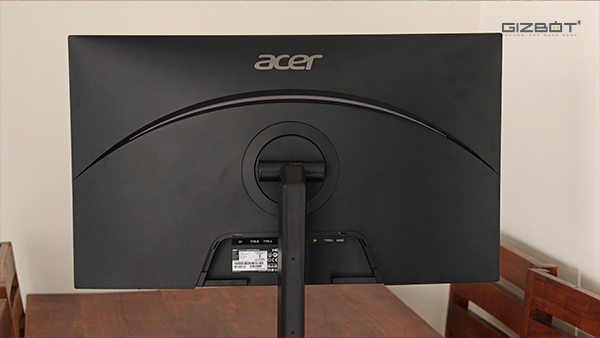
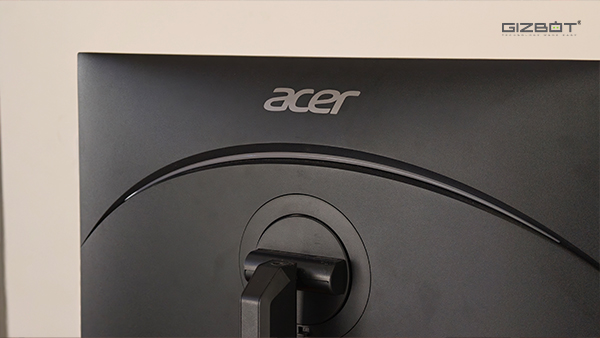
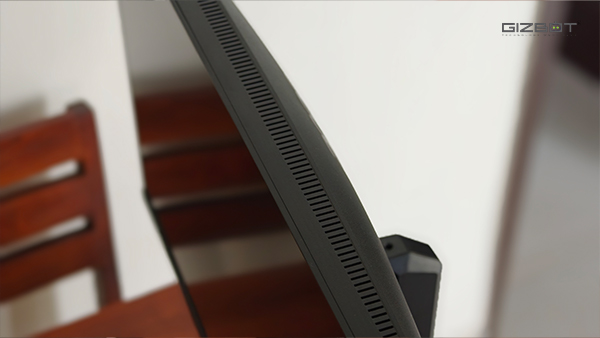
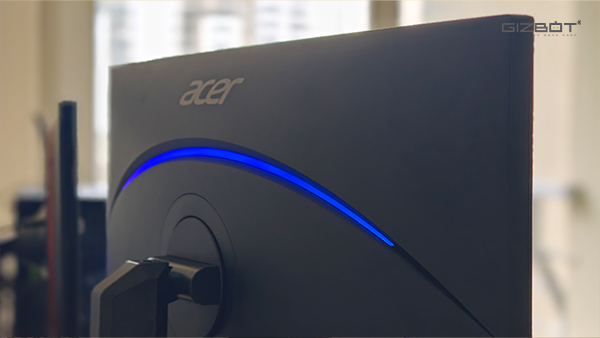
The XV275K P5 very much looks like a gaming monitor. There is RGB lighting on the back, the body is chunkier than most monitors I have used, and the angular stand fits right in with the rest of the design. I actually like the overall look, particularly from the rear, while the front stays relatively clean thanks to the slim bezels.
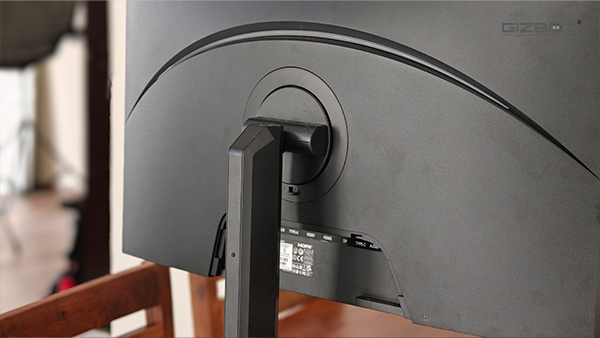
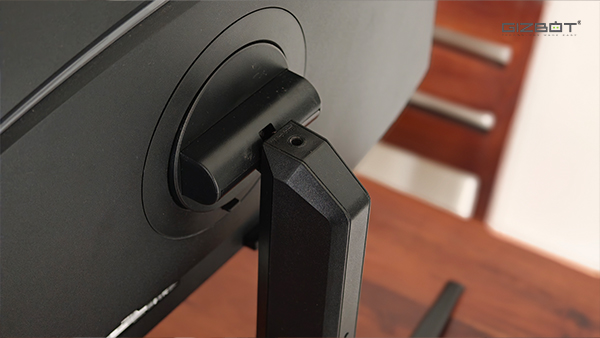
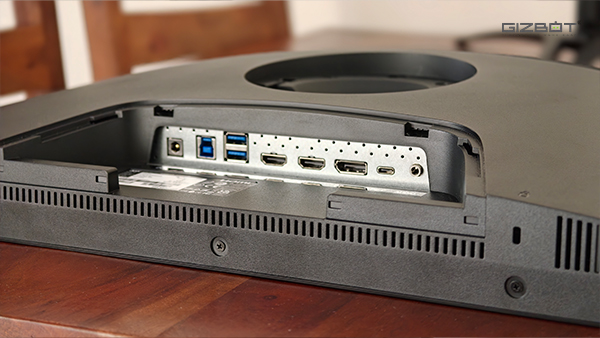
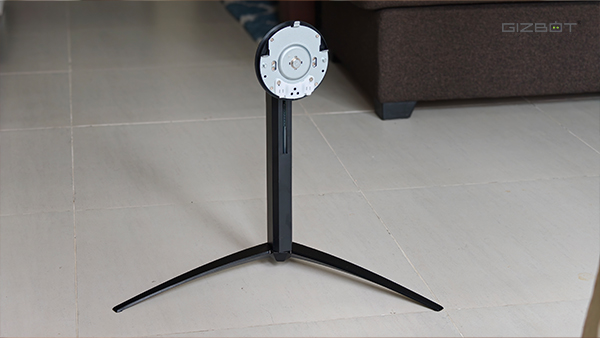
The stand is also surprisingly functional. Apart from height, tilt, swivel, and pivot adjustment, there's a standard 1/4-inch mounting point at the top where you can attach a camera or webcam. There's also a hook at the back for routing cables, while a removable cover hides the ports once everything is plugged in, which helps keep the setup looking much cleaner.
Connectivity itself is excellent. You get two HDMI 2.1 ports, DisplayPort 1.4, USB-C with up to 90W Power Delivery, USB connectivity, and an audio-out port. Having HDMI 2.1 also means I can keep my PS5 connected alongside my PC without giving up the features I would expect from a modern console.
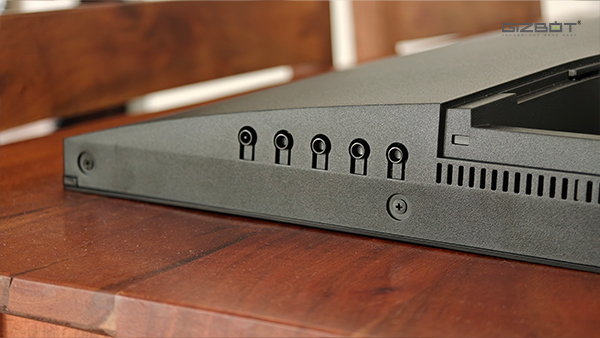
The only real issue I have with the stand is its footprint. Those large legs curve quite far outward and take up more desk space than I would like, especially with another monitor sitting beside it. It has not caused any major problems, but I am considering moving the Acer onto a monitor arm simply to free up more room underneath it. Thankfully, it supports a 75 x 75mm VESA mount.
The rear of the monitor is otherwise well thought out, which makes the OSD controls feel even more frustrating. Acer uses a row of physical buttons instead of a joystick, and they are unnecessarily clunky to use. The menu itself is fine, but navigating through it takes more effort than it should, and I still occasionally hit the wrong button even after more than a month. A joystick would have been a much better fit here.
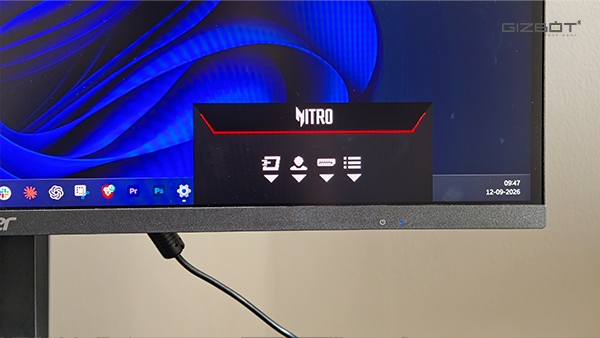
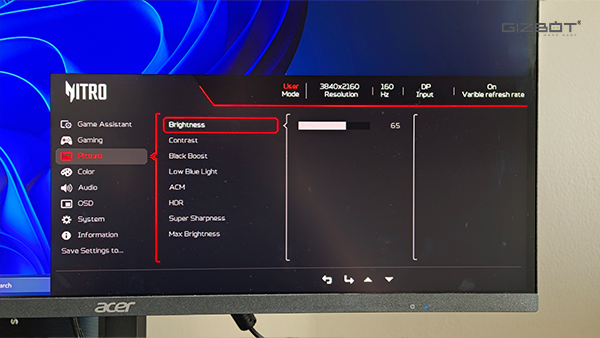
Thankfully, you do not have to rely on them all the time. Acer's Display Widget lets you control a lot of the monitor's settings directly from Windows, including brightness, contrast, picture modes, and colour settings. I ended up preferring this whenever I needed to make quick changes, since it is much easier than reaching under the monitor and figuring out which button does what.
One small inconvenience I ran into during setup was the power cable. Acer bundles a large three-pin plug rather than the regular 6A plug I have sockets for around my desk, so I couldn't plug it in where I originally wanted to. Thankfully, the cable itself was replaceable, and I had a compatible power cable from an old laptop charger lying around, which worked fine and saved me from having to use an adapter.
Acer Nitro XV275K P5 Review: Display
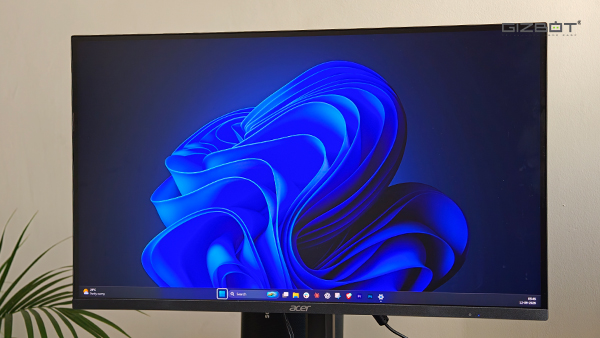
This is my first 4K monitor, and the jump from 1080p has been much bigger than I expected. I notice it most while working because that is what I spend most of my day doing. Text looks sharper, images have more detail, and even the Windows interface looks cleaner on the Acer.
Having my 1080p LG UltraGear sitting right next to it makes the difference even easier to see. I can move the same browser window from one screen to the other, and the LG immediately looks softer. I was perfectly happy with 1080p before using the Acer, but after more than a month with 4K, I don't think I would want to go back to it as my primary resolution. It isn't just the resolution that has improved either. My LG tops out at 144Hz, while the Acer goes up to 160Hz at 4K. The jump from 144Hz to 160Hz is obviously not dramatic, but I am still getting a slightly higher refresh rate while also moving to a much sharper resolution, which is a nice upgrade overall. And if I ever want to prioritise refresh rate over resolution, I can drop the Acer to 1080p and push it all the way to 320Hz.
The same applies for movies and TV shows that I consumed on OTT platforms. Shrinking, The Office, Suits, Obsession, and Shang-Chi and the Legend of the Ten Rings have all spent time on it, and this is where the Mini LED panel makes a real difference. Darker scenes have much better depth, while brighter movies such as Shang-Chi really make use of the colours and brightness of the panel. It still isn't OLED, and you can notice some blooming if you deliberately look for it. A bright object against a completely black background can show a slight halo, but it has rarely bothered me while actually watching something or playing a game.
I did have to spend some time getting the display to look the way I wanted, though. Out of the box, I wasn't completely happy with the picture settings, and I probably spent around 20 minutes going through the different options and adjusting them to my preference. That mattered to me because I don't only use the monitor for gaming and entertainment. I also edit videos from time to time, so I don't want a display that is constantly pushing colours just because it looks more impressive. I wanted something that looked good for movies and games without making colours look completely off when I switched over to editing.
Once I had everything set up the way I liked, I haven't really needed to mess around with it much. Brightness is another strong point. Acer rates the panel for up to 1,000 nits, and I rarely need anything close to that for everyday use. Full brightness is far more than I would want while working for long periods, but having that extra headroom does come in handy with brighter content.
HDR, however, still hasn't really won me over. It gets much brighter and makes better use of the Mini LED backlight, but I prefer how the monitor looks in SDR most of the time. That applies to regular desktop use and even quite a bit of gaming. I have switched between the two enough now, and SDR is simply what I keep coming back to.
The catch is that Acer ties local dimming to HDR. In SDR, the Mini LED zones don't dim independently, so you lose some of the deeper blacks the panel is capable of. There isn't a separate local-dimming toggle you can enable while staying in SDR either, which feels like an odd restriction on a Mini LED monitor.
Even with that annoyance, the panel has easily been the biggest upgrade the XV275K P5 has brought to my setup. Between 4K, 160Hz, the Mini LED backlight, and the amount of tuning Acer gives you, it works equally well for the things I spend most of my time doing.


Acer Nitro XV275K P5 Review: Performance
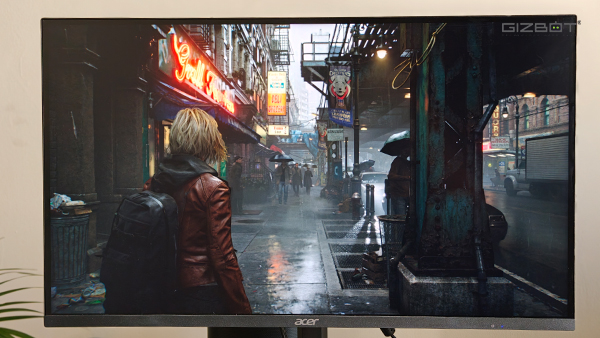
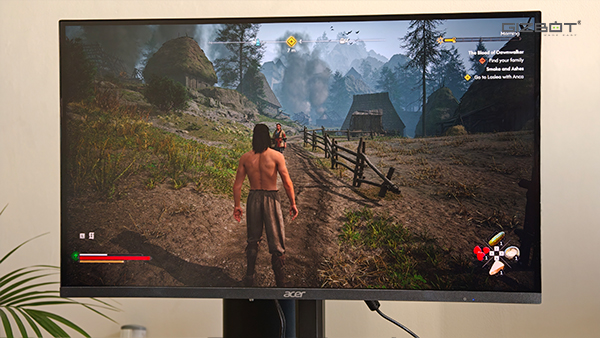
I have spent almost all my time with the XV275K P5 at 4K and 160Hz, and I honestly haven't felt much need to switch to the 320Hz mode, unless I am playing competitive mode on Counter-Strike 2. My PC is powered by an RTX 5070, and while you are obviously not going to hit 160fps in every AAA game at native 4K with everything maxed out, technologies like DLSS and Frame Generation make the experience much more manageable. In most of the games I have played, I have been able to keep the resolution high while still getting the kind of frame rates that make the 160Hz panel worthwhile.
Forza Horizon 6 has probably been the best example of that. It feels extremely smooth at higher frame rates, especially when you are driving at speed, and I haven't noticed any distracting ghosting or smearing. Resident Evil Requiem, Control Resonant, and The Blood of Dawnwalker have all been heavier on the GPU, but they have still been very enjoyable at 4K with upscaling and Frame Generation where needed. I also haven't run into any obvious screen tearing or VRR issues during my time with the monitor.
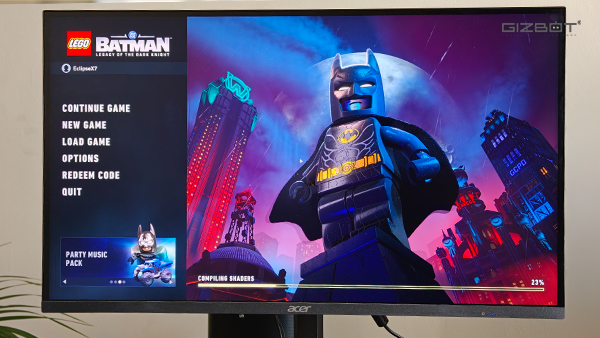
I have also used the monitor quite a bit with my PS5, playing EA Sports FC 26, Big Walk, Spider-Man Remastered, Wolverine, Rocket League, and a few other games.
I haven't had any HDMI problems, signal drops, or compatibility issues. Everything has worked as expected, and the monitor supports 4K at 120Hz over HDMI 2.1 if you are playing games that take advantage of it. The console experience has been good, but I still think the XV275K P5 makes more sense as a PC gaming monitor. That is where I can actually make use of 4K, 160Hz, and the rest of what this monitor offers.
Acer Nitro XV275K P5 Review: Verdict
At around Rs 45,000, the Acer Nitro XV275K P5 is not an automatic recommendation, mainly because this is also where OLED gaming monitors start entering the picture.
The Samsung Odyssey OLED G5, for instance, sits around the same price and gives you a 27-inch QD-OLED panel with a 180Hz refresh rate, while the AOC AGON PRO AG276QZD2 bumps that up to 280Hz. Both will give you the perfect blacks, near-instant response times, and stronger contrast you would expect from OLED, but there is one important trade-off: both are 1440p monitors.
The Acer, on the other hand, gives you a full 4K resolution, Mini LED, and a 160Hz refresh rate. And for the way I use my monitor, that combination makes more sense. I spend a large part of my day writing and working on it, occasionally edit videos, watch a lot of movies and shows, and then use the same display for gaming on my PC and PS5. The extra sharpness of 4K matters to me just as much as the gaming performance.
So, this really comes down to priorities. If gaming is your main focus and you are happy with 1440p, I would seriously consider the Samsung Odyssey OLED G5 or AOC AGON PRO AG276QZD2 instead. You will get better blacks, faster response times, and, in the case of the AOC, a considerably higher refresh rate. But if you want one monitor that can handle gaming, work, entertainment, and occasional editing without giving up 4K, the XV275K P5 is the better fit. Mini LED does not quite match OLED for black levels, but it gets close enough in the right content
| Attributes | Notes | Rating |
|---|---|---|
| Design and Build | 4.8/5 | |
| Display | 4.5/5 | |
| Performance | 5/5 |
Acer Nitro XV275K P5 Review: How I tested
I used the Acer Nitro XV275K P5 as my primary monitor for over a month in a dual-monitor setup alongside a 1080p LG UltraGear. I tested it mainly with an RTX 5070-powered gaming PC and also connected a PS5. My testing included everyday work, writing, browsing, occasional video editing, watching movies and TV shows, and gaming across titles such as Forza Horizon 6, Resident Evil Requiem, Control Resonant, Dawn of the Bloodwalker, FC 26, Spider-Man Remastered, Wolverine, Rocket League, and more. I also spent time adjusting the display settings to suit my preference and tested features such as 4K at 160Hz, HDR, USB-C connectivity, and Acer Display Widget.
-
 1,29,999
 -
 22,999
 -
 64,999
 -
 99,999
 -
 29,999
 -
 39,999
 -
-
 63,999
 -
 1,56,900
 -
 96,949

-
 1,39,900
 -
 1,29,900
 -
 79,900
 -
 65,900
 -
 12,999
 -
96,949
-
 16,499
 -
 38,999
 -
 30,700
 -
 49,999
-
 19,999
 -
 17,970
 -
 21,999
 -
 13,474
 -
 18,999
 -
 22,999
 -
 19,999
 -
 17,999
 -
 26,999
 -
 5,999
5,999
-1763362932432.svg)

 Continue with Google

