


 Click it and Unblock the Notifications
LG QNED85B 65-inch Review: An Excellent Viewing Experience With Some Trade-Offs

I spend a fair amount of time watching movies and TV shows, and my viewing habits are all over the place. One day, I'm rewatching The Office or Friends for the hundredth time, and the next, I'm catching a Real Madrid match or watching something on Netflix. So, when the 65-inch LG QNED85B arrived for review, I was quite excited to see how it would handle everything I usually throw at my TV.
And there was plenty to look forward to. The LG QNED85B is a 4K MiniLED TV with a native 120Hz refresh rate, Dolby Vision support, LG's latest a8 Gen3 AI processor, and webOS 26. On paper, it has pretty much everything you'd want from a premium television, including a few features that should make gamers happy.
But at over Rs 1 lakh, this is a fairly expensive TV, and I expected it to get the basics right before impressing me with all the extras. Having spent time watching movies, streaming TV shows, and exploring what webOS has to offer, I came away impressed with quite a few things. Unfortunately, there's also one area where LG could have done considerably better. Here's my full review of the LG QNED85B.

LG QNED85B 65-inch Review: Two-Minute Review
The LG QNED85B is a premium 65-inch MiniLED TV that gets most things right. Its biggest strength is the display, which delivers sharp, vibrant visuals, excellent brightness, and good viewing angles. Whether you're watching movies, binge-watching shows, or catching a football match, the experience is thoroughly enjoyable.
The sleek design, smooth webOS 26 interface, and intuitive Magic Remote are equally impressive. You also get a native 120Hz panel with VRR support up to 144Hz, making it a solid choice for gaming.
However, the built-in speakers are disappointing, with weak bass, thin dialogue, and noticeable distortion at higher volumes.
At Rs 1,08,390, it's also considerably more expensive than QD-MiniLED alternatives from Lumio, Xiaomi, and TCL, some of which offer better audio. Still, if you prefer webOS over Google TV and value LG's polished experience, the QNED85B is worth considering.
LG QNED85B 65-inch Review: Design and Build
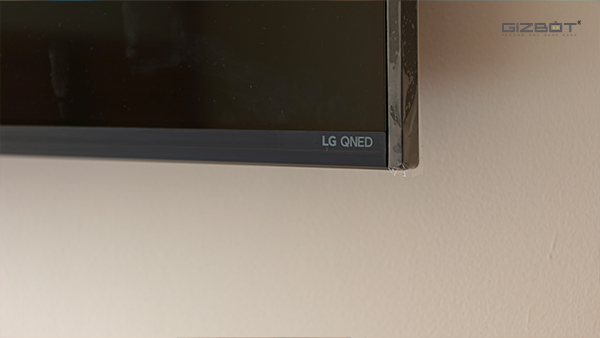
The first thing I noticed about the LG QNED85B was just how sleek it looks for a 65-inch television. Large TVs can sometimes look quite bulky, especially when you have them mounted on a wall, but that isn't the case here. LG has managed to keep the profile remarkably slim, measuring just 29.7mm at its thinnest point, and it looks rather elegant once installed.
/img/2026/10/001-1792066067.jpg)
The TV comes in black with a slightly glossy finish, which gives it a premium appearance without being too flashy. The bezels are also uniform on all sides and are thin enough that you barely notice them when watching something. There's nothing particularly adventurous about the design, but I don't think there needs to be. It's a clean, understated look that should fit into most living rooms without drawing unnecessary attention.
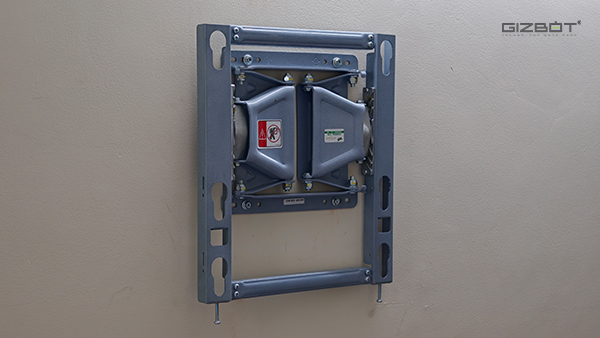
I had the TV wall-mounted during my review, and one thing I particularly appreciated was the mounting bracket used for the installation. It was extremely sturdy, felt well-built, and, more importantly, had an articulating mechanism that allowed me to pull the TV slightly away from the wall.
Now, this might sound like a small thing, but anyone who has tried connecting an HDMI cable to a wall-mounted TV will understand why I liked it so much. With a conventional fixed mount, you often have to squeeze your hand behind the television, blindly feel around for the right port, and plug the cable in. It's never a particularly pleasant experience.
Here, I could simply pull the TV forward a little, connect whatever I needed, and push it back into position. It's a genuinely convenient addition to the installation, especially if you frequently connect or disconnect devices.
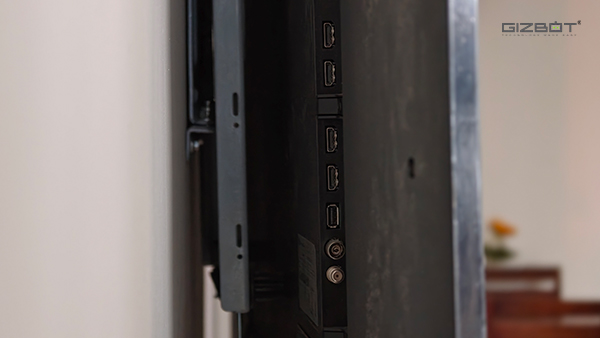
Connectivity is another area where LG has done well. You get four HDMI ports, including one with eARC support, alongside two USB ports, an Ethernet connection, and an optical audio output. The HDMI inputs also support 4K at 120Hz, which is particularly useful if you have a PS5 or a gaming rig.
LG QNED85B 65-inch Review: Display
The display is easily my favourite thing about the LG QNED85B. It features a 65-inch 4K MiniLED panel with a resolution of 3840 x 2160 pixels.
If you're unfamiliar with MiniLED, think of it as an evolution of the traditional LED-backlit LCD television. Instead of relying on comparatively larger LEDs to illuminate the display, MiniLED TVs use much smaller LEDs that allow more precise control over different areas of the screen. This helps improve contrast, brightness, and the way darker and brighter portions of an image are displayed.
/img/2026/10/006-1792066161.jpg)
It isn't quite the same as OLED, where individual pixels can switch off completely, but MiniLED has its own advantages, particularly when it comes to producing a bright picture.
And brightness was never a problem during my time with the QNED85B. Even during the day, with natural light entering the room, the display remained comfortably visible. It also handled reflections from lights around the room fairly well. I didn't find myself constantly adjusting the brightness or closing the curtains just to watch something.
The viewing angles are pretty good, too. This is particularly important for a 65-inch TV because chances are you're not going to be the only person watching it. If you've got a few friends coming over for a football match, the person sitting at the far end of the sofa should still be able to enjoy the action without having to fight for the perfect viewing position.
As for picture quality, I spent most of my time jumping between Netflix, Prime Video, JioHotstar, and my personal media library on Jellyfin. I watched everything from Ted Lasso, Suits, and Breaking Bad to lighter shows such as The Big Bang Theory, Friends, and The Office.
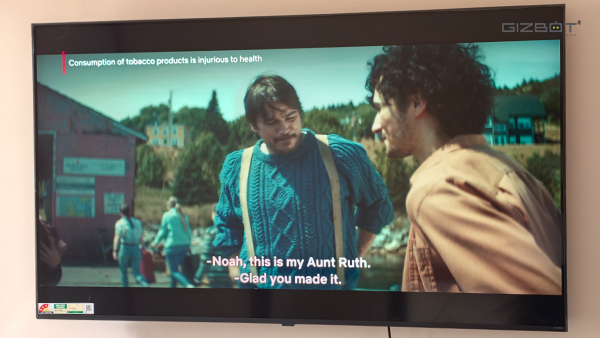
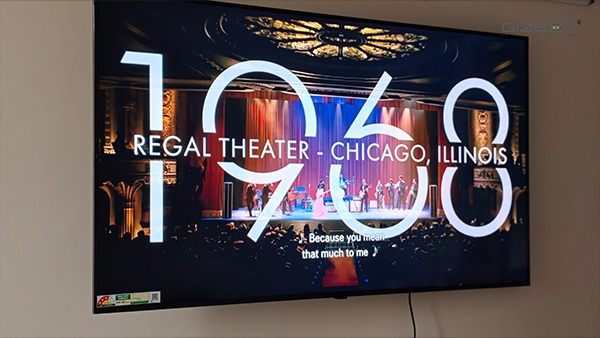
The experience was consistently enjoyable. The 4K panel produces a sharp and detailed picture, and colours look vibrant without making everything appear unnecessarily saturated. Whether I was watching a sitcom or settling in for something more cinematic, the TV did a good job of making the content look appealing and consistent.
I also watched movies such as Avengers: Endgame, Michael, Project Hail Mary, and the larger screen certainly helped make the viewing experience more enjoyable. The extra detail in good-quality 4K content is easy to appreciate on a panel this size, especially when you're sitting at a comfortable distance.
LG also supports Dolby Vision, HDR10, and HLG on the QNED85B. Dolby Vision is particularly useful if you watch a lot of supported content on Netflix, as it allows the television to adjust how HDR content is presented.
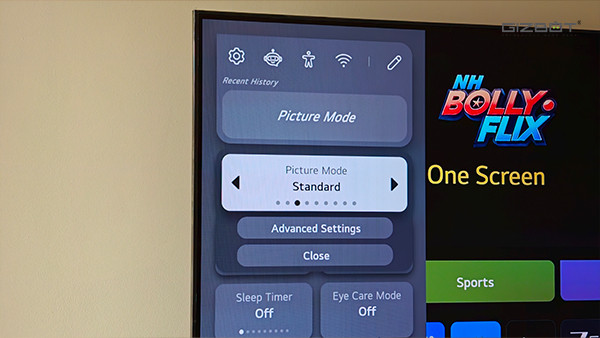
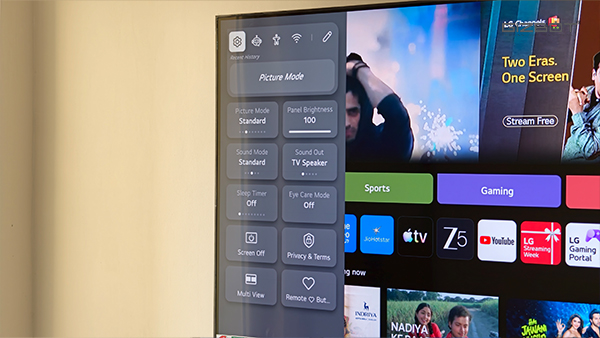
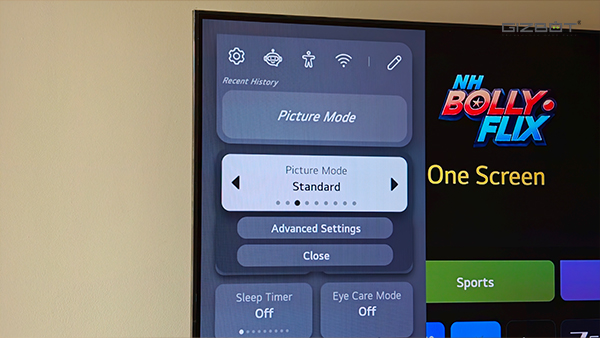
As for the picture settings, there are several presets to choose from in the settings. Including Standard, Vivid, Cinema, and Cinema Home, alongside more options for people who prefer tinkering with individual settings. I mostly kept the TV on Standard mode and made a few manual adjustments to suit my preferences. I found that combination worked well for the kind of content I usually watch.
And if you're planning to connect a gaming console, there's plenty to like here as well. The panel has a native 120Hz refresh rate with variable refresh rate support up to 144Hz. That means you can connect a PS5 and take advantage of 4K 120Hz output in supported games, while gaming PCs can make use of the higher VRR ceiling. There's also support for AMD FreeSync, ALLM.
LG QNED85B 65-inch Review: Sound Quality
Unfortunately, the speakers are where things start to fall apart.
The LG QNED85B comes with a 20W, 2.0-channel speaker setup, with support for Dolby Atmos and LG's a8 AI Sound Pro technology.
But the actual listening experience left me wanting a lot more. While watching shows such as Ted Lasso and movies like Michael, I immediately noticed that the speakers lacked the depth and fullness I'd expect from a television that costs over Rs 1 lakh. There's very little bass to speak of, and dialogue often sounds quite thin and tinny.
That's particularly disappointing when the picture looks as good as it does. You can have a beautifully detailed scene on the screen, but when the dialogue lacks body, or the background music doesn't have enough weight, it takes away from the overall experience.
/img/2026/10/004-1792066232.jpg)
Things get worse when you turn up the volume. In my experience, the speakers started showing noticeable distortion once I pushed the volume beyond the 50 percent mark. And while you might not need to listen at those levels all the time, it's certainly something to keep in mind if you have a larger living room or enjoy watching movies at higher volumes.
I wasn't expecting room-shaking bass or a full home theatre experience from the built-in speakers. But at this price, I did expect better clarity, more controlled sound at higher volumes, and a little more depth.
Thankfully, the TV has an HDMI eARC port, so connecting a compatible soundbar or home theatre system shouldn't be a problem. And if you're considering the QNED85B, that's something I'd strongly recommend budgeting for.
It's a shame, really, because the picture quality deserves a much better audio experience than what the built-in speakers deliver.
LG QNED85B 65-inch Review: Features and App Experience
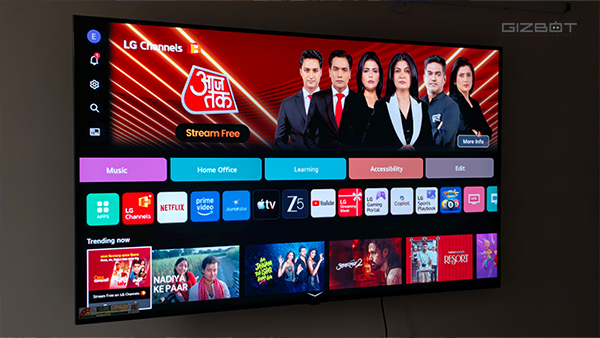
The LG QNED85B runs webOS 26, and I have to say, I quite enjoyed using it.
The interface is smooth, apps open without much fuss, and navigating through menus feels responsive. Throughout my time with the TV, I didn't notice any significant stuttering or lag, even when switching between apps or exploring the settings.
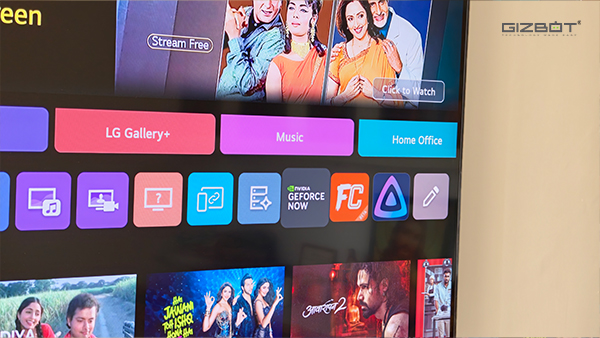
The home screen is packed with content recommendations, streaming services, shortcuts, and various other options. It certainly gives you plenty to explore, although it can get super overwhelming initially.
App availability is also quite good. You can download additional applications through LG's app store, and I was particularly happy to find both Jellyfin and NVIDIA GeForce NOW available.
There's also a Multi View feature that lets you display two compatible sources on the screen simultaneously. It's an interesting addition, especially on a display this large, but it comes with a catch.
/img/2026/10/103-1792066347.jpg)
You can't simply open any two apps you want. Multi View is restricted to certain supported applications and sources, including the browser, YouTube, and some LG services. So, if you were hoping to watch something on Netflix while simultaneously doomscrolling through YouTube, you're out of luck. It's a useful feature in theory, but I do wish LG offered more flexibility with the apps you can use together.
Now, let's talk about the remote, because I genuinely liked using it.
The included Magic Remote has all the essential controls you'd expect, and the button layout is fairly straightforward. One small detail I appreciated is that you can press and hold the volume control to mute the TV, rather than having to reach for another button.
But the highlight is the motion-controlled pointer. You can simply wave the remote towards the television, and a cursor appears on the screen, almost like an air mouse.
This comes in particularly handy when navigating certain menus, using the browser, or selecting something that would otherwise require several button presses. You don't have to use it all the time, but once you get accustomed to it, it's surprisingly convenient.
LG QNED85B 65-inch Review: Verdict
The LG QNED85B gets plenty of things right. Its 65-inch MiniLED display is bright, sharp, and vibrant, while the sleek design, smooth webOS experience, and excellent Magic Remote make it a pleasure to use. However, the disappointing speakers are difficult to overlook, especially when you're spending Rs 1,08,390.
And that's where the competition makes things interesting. TVs like the Lumio Vision 9 (2026), Xiaomi TV S Mini LED, and TCL's QD-MiniLED models offer compelling alternatives for considerably less money. The 65-inch Lumio and Xiaomi models, in particular, can be purchased for around Rs 70,000 to Rs 75,000, saving you over Rs 30,000. They also use QD-MiniLED technology, which combines MiniLED backlighting with Quantum Dots to produce a wider range of colours. What's more, both Xiaomi and Lumio offer stronger audio hardware both on paper, and in real life.
That said, the LG QNED85B still makes a strong case for itself. If you're not particularly fond of Android TV and prefer webOS, there's a lot to like here. You get a premium design, excellent picture quality, good viewing angles, and a native 120Hz panel that's better suited to high-refresh-rate gaming than Xiaomi's 60Hz offering.
LG's smooth software, versatile Magic Remote, and generous connectivity options also make everyday use particularly enjoyable.
Ultimately, the LG QNED85B is a very capable MiniLED TV, but it isn't necessarily the best value for money. If you're willing to spend extra for LG's hardware, webOS experience, and gaming features, it's certainly worth considering. Just make sure you have a decent soundbar to go with it.
| Attributes | Notes | Rating |
|---|---|---|
| Design and Build | 5/5 | |
| Display | 4.5/5 | |
| Sound Quality | 2.5/5 | |
| Features and App Experience | 4/5 |
-
 54,999
 -
 99,999
 -
 1,44,900
 -
 89,998
 -
 46,500
 -
 57,998
 -
 53,989
 -
 1,59,999
 -
 1,29,999
 -
 99,999
-
 70,499
 -
 1,56,900
 -
 1,30,990
 -
 17,084
 -
 16,999
 -
 30,999
 -
 9,999
9,999 -
 79,900
 -
 8,999
8,999 -
 79,999
-
 20,999
 -
 37,999
 -
 25,999
 -
 31,999
 -
 24,999
 -
 10,999
 -
 15,999
 -
 45,999
 -
 19,499
 -
 1,61,999
-1763362932432.svg)

 Continue with Google

