
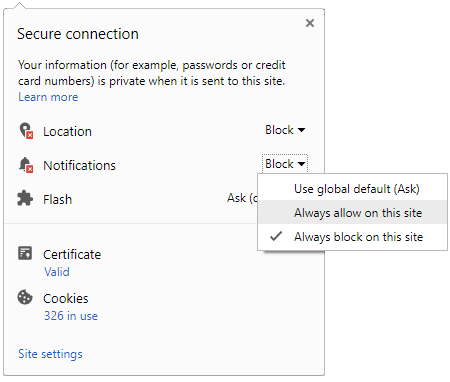
 Click it and Unblock the Notifications
How to Use Google Dreambeans, the AI App That Turns Your Interests into Stories

Imagine opening an app and finding a collection of visual stories based on your interests, plans and everyday life.
One could suggest a place to visit over the weekend, while another may offer ideas for a hobby you have been exploring. You do not have to type a prompt or search for these recommendations, the app puts them together for you. If that sounds exciting, read on.
Meet Google Dreambeans
What we just described is exactly the idea behind Google Dreambeans, an experimental AI app from Google Labs that has just arrived in India. It uses information from Google services that you choose to connect, including Gmail, Google Photos, Calendar, Search, YouTube and Gemini, to create personalised daily story collections.

Dreambeans first launched in the US in September, and India is the first country outside the US to get the app. It is available on Android and iOS, with support for English and 13 Indian languages, including Hindi, Bengali, Telugu, Marathi, Tamil, Urdu, Gujarati, Kannada, Malayalam, Odia, Punjabi, Assamese and Nepali.
The app is not designed to work like a social media feed. Instead, it feels more like a private visual journal, where AI-generated illustrations and stories bring together things that may matter to you. Here is what Dreambeans does and how you can start using it.
How does it work?
Dreambeans takes information from the Google services you have opted to connect and uses it to create personalised stories. These could be related to your interests, upcoming plans or everyday activities. For instance, information from your Calendar could help the app suggest something to do around an upcoming event, while your interests could inspire ideas for travel, wellness or hobbies.
The app creates stories with watercolour-style illustrations, giving the collection the look of a visual storybook. You can tap on a story to explore it further, save suggestions you like or share them with others. Google has also added the ability to use its Veo video-generation model to animate images in selected stories.
Dreambeans does not require you to write prompts for every recommendation. However, you can provide feedback on the stories it creates and tell the app which subjects you would rather avoid. This helps it make future suggestions more relevant to your interests.
How to use Google Dreambeans
Getting started with Dreambeans is quite easy. All you need to do is install the app, sign in with your Google account and choose which services you want to connect. Here is the step-by-step process.
Step 1: Download the Dreambeans app
First, download Google Dreambeans from the Google Play Store or Apple App Store, depending on whether you are using an Android phone or an iPhone.
Step 2: Sign in with your Google account
Open the app and log in using your personal Google account. Dreambeans is currently limited to personal Gmail accounts, so you cannot access it through a work or school account.
Step 3: Choose which Google services to connect
Dreambeans can use information from services such as Gmail, Google Photos, Calendar, Search, YouTube and Gemini. You can choose which of these services you want to link with the app.
This is an important step because Dreambeans only uses information from the services you have opted into. If you do not connect a particular Google app, information from that service will not be included in the stories it creates.
Step 4: Select your preferred language
You can choose the language in which Dreambeans creates your personalised stories. The app supports English and 13 Indian languages, including Hindi, Tamil, Telugu, Kannada and Malayalam.
You can select one language at a time.
Step 5: Explore your personalised stories
Once you have completed the setup, Dreambeans will use information from your connected Google services to create a daily collection of stories.
You can tap on a story to explore it, save suggestions that interest you or share them with others. You can also provide feedback on the recommendations and tell the app which topics you would prefer not to see.
Is Google Dreambeans private?
Dreambeans is designed as a personal experience rather than a social platform. The stories it creates are private to the account holder, and Google has not confirmed plans to make users’ stories visible to others in the way content is shared on Instagram or Facebook.
Users also have control over the information the app can access. You can disconnect linked Google services whenever you want or delete your Dreambeans data. Google says information deleted from connected services is also removed from Dreambeans’ personalisation system.
Since the app relies on information from your Google services, it is worth reviewing which accounts and applications you connect before using it.
-
 54,999
-
 99,999
-
 1,44,900
-
 89,998
-
 46,500
-
 57,998
-
 53,989
-
 1,59,999
-
 1,29,999
-
 99,999
-
 70,499
-
 1,56,900
-
 1,30,990
-
 17,084
-
 16,999
-
 30,999
-
 9,999
-
 79,900
-
 8,999
-
 79,999
-
 20,999
-
 37,999
-
 25,999
-
 31,999
-
 24,999
-
 10,999
-
 15,999
-
 45,999
-
 19,499
-
 1,61,999


 Continue with Google