


 Click it and Unblock the Notifications
Dell XPS 13 Review, One Month Later: A Premium Windows Daily Driver

The compact laptop space has become a lot more interesting lately, especially if you want something premium without stepping up to a much larger machine. The MacBook Neo has quickly become an obvious option in this category, but after using the Dell XPS 13 for the past month, I think Dell has built a very convincing Windows alternative. And one that is better in quite a few things.
I actually got my first taste of the XPS 13 at Computex earlier this year, but spending a few minutes with a laptop on a busy show floor is very different from actually living with one. Over the past month, I've worked on it, carried it around in my backpack while travelling, edited thumbnails in Photoshop, spent far too much time in Chrome, and generally treated it like the everyday laptop Dell wants it to be.
And that's really where the XPS 13 makes the most sense to me. It's compact, easy to carry around, and feels right at home as a laptop for students, office-goers, or anyone who just needs a dependable machine for everyday work. It isn't flawless - and my 8GB RAM variant certainly started showing its limits once I pushed the multitasking - but after a month with it, there's quite a lot here that I've grown to like.

Dell XPS 13 Review: Two-Minute Review
The Dell XPS 13 is the kind of laptop that quietly grows on you. I've used it for a month for writing, research, Photoshop, travel, and general everyday work, and its biggest strength is just how easy it is to live with.
The build feels premium, the blue finish looks classy, and the 13.4-inch 2.5K 120Hz touchscreen is sharp, smooth, and bright enough for daily use. The keyboard is comfortable for long writing sessions, the trackpad works well, and having one USB-C port on either side is genuinely convenient.
Performance from the Intel Core 5 320 has been solid for my workload, although the 8GB RAM variant starts to struggle once Chrome tabs and apps pile up. Battery life is excellent too, lasting 15 hours and 46 minutes in our PCMark test.
If you want a premium Windows alternative to the MacBook Neo, the XPS 13 makes a very strong case.
Dell XPS 13 Review: Design and Build
One of the things I've appreciated the most about the Dell XPS 13 over the past month is just how easy it is to live with. It's compact enough to slip into a backpack without taking up much space, and I've travelled with it multiple times without ever feeling like I was carrying around something bulky or cumbersome. For students, frequent travellers, or anyone carrying a laptop to work every day, this will make a genuine difference.
The compact footprint also translates well once you actually sit down to use it. It doesn't demand much room on a desk, and it never feels awkward to pull out and start working on when space is limited. That has been particularly useful while travelling, where I don't always have the luxury of a big desk in front of me. After a month, the form factor remains one of my favorite things about the XPS 13.
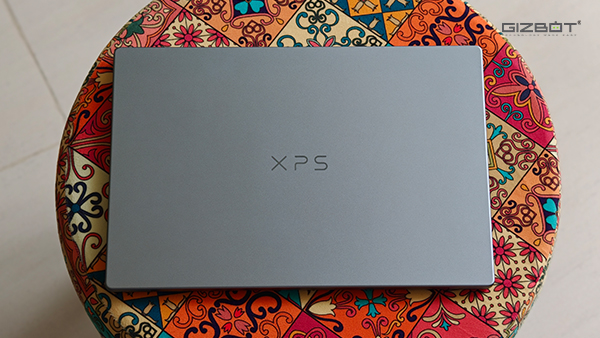
Thankfully, Dell hasn't sacrificed the premium feel to make the XPS 13 this compact. My review unit comes in a blue finish that looks particularly classy in person, while the chassis itself feels reassuringly sturdy. There's very little flex when handling the laptop, and overall it feels like something that should comfortably survive being taken in and out of a backpack every day.
Even smaller things, like the hinge, are nicely done. There's enough resistance to keep the display firmly in place, but I can still open the lid with one hand.
Dell XPS 13 Review: Ports and Connectivity
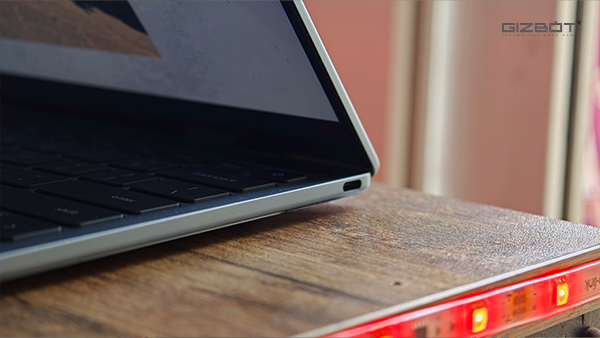
Port selection on the XPS 13 is pretty minimal. You get just two USB-C ports, with one sitting on either side of the laptop. I actually prefer this arrangement over having both on the same side, because I can plug the charger in from whichever direction is more convenient depending on where I'm sitting.
Both are USB 3.2 Gen 2 Type-C ports capable of transfer speeds of up to 10Gbps, and both support DisplayPort 2.1 and USB Power Delivery. That also makes the pair more capable than what you get on the MacBook Neo. While one of the Neo's USB-C ports also supports speeds of up to 10Gbps and DisplayPort, the second is limited to USB 2 speeds of up to 480Mbps.
The Neo does get a 3.5mm headphone jack, though, which Dell has skipped completely. Personally, that never bothered me because I rarely use wired earphones or headphones with a laptop anymore.
I would have liked to see at least one USB-A port as well. I still have a few accessories that rely on one, so there were moments when I had to fend for a dongle. At the same time, looking at just how slim the XPS 13 is, I can understand why Dell has kept the sides as clean and minimal as possible.
Dell XPS 13 Review: Keyboard and Trackpad
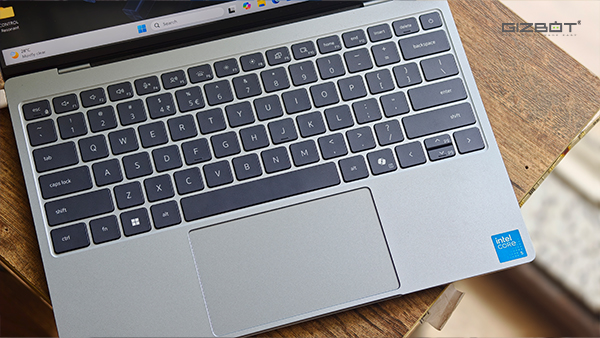
Despite the compact form factor, Dell has managed to fit a pretty comfortable keyboard on the XPS 13. The keys are spaced out well enough that I rarely found myself mistyping, and the travel is decent, too. I've written multiple articles on this laptop over the past month, sometimes for hours at a stretch, and I never really had an issue settling into the keyboard.
The backlighting also came in handy whenever I was working late at night, and you can adjust its brightness directly from the function row. Dell has also kept all the usual shortcuts here, including display brightness and media controls, so there was never really a moment where I felt like something obvious was missing because of the smaller chassis.
The trackpad is understandably not massive, but it is still large enough for everyday use. I never found myself running out of space while scrolling through pages or using Windows gestures, and tracking has been consistently smooth. The click is nicely tactile as well, so overall, the trackpad just gets out of the way and does what it is supposed to do.
Dell XPS 13 Review: Display
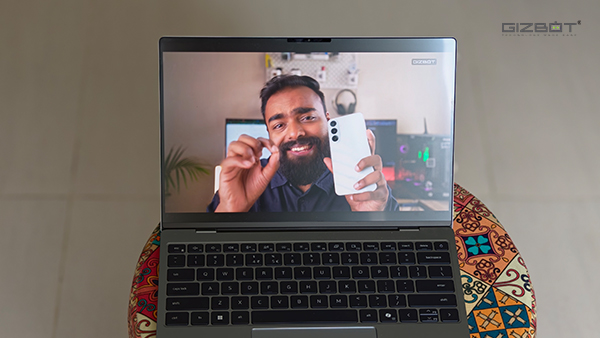
I've spent a lot of time staring at the XPS 13 over the past month, whether I was writing articles, going through endless Chrome tabs, editing thumbnails in Photoshop, or simply watching something at the end of the day. And honestly, I have very little to complain about here. The 13.4-inch display has a 2560 x 1600 resolution, so text looks crisp and images have plenty of detail, while the 120Hz refresh rate makes scrolling through webpages and moving around Windows feel particularly smooth.
Brightness has been good as well. Dell rates the panel at 500 nits, and during my regular use, I never really found myself wishing it could get significantly brighter, even when I was writing articles sitting in my balcony. Colors also look vibrant without feeling overly punchy, which I particularly appreciated while working in Photoshop.
One thing I ended up using more than I expected was the touchscreen. I'm still far more comfortable navigating Windows with the trackpad, but being able to quickly reach out and scroll through a webpage, tap a button, or move around an app is surprisingly convenient
The speakers deserve a mention here too. Dell has fitted the XPS 13 with a four-speaker setup, including two woofers and two tweeters, with 10W of total output. That's a fairly serious setup for an everyday laptop and makes the XPS 13 well suited to watching videos, taking calls, or just playing music without immediately reaching for a pair of headphones. I enjoyed watching TV shows like Fool Me Once by Harlan Coben on Netflix, and a bunch of sitcoms on the XPS 13 during lunch. The speakers had good depth and also got quite loud.
Dell XPS 13 Review: CPU Performance
The XPS 13 I'm reviewing is powered by Intel's Core 5 320, which belongs to the Series 3 "Wildcat Lake" family. This isn't one of Intel's more powerful Core Ultra chips, and that's important to keep in mind. The Core 5 320 is a 15W processor with six cores out of which two are Performance cores and four are Low Power Efficient cores. It's very much designed around everyday, slightly more affordable laptops like this one rather than machines meant for heavy creative workloads.
And for the kind of work I normally do, that has actually been enough here. My days usually involve jumping between Chrome, documents, folders, and sometimes Photoshop, and for the most part, the XPS 13 handled all of that without giving me much to complain about.
I've edited lead images for my articles in Photoshop, kept Chrome open for research, written entire stories on the laptop, and constantly switched between apps throughout the day. As long as I wasn't going overboard, everything felt responsive, and I rarely had to think about the hardware underneath.
The limitation I did eventually run into wasn't necessarily the processor, but the 8GB of RAM on my review unit. Once I had a bunch of Chrome tabs open alongside Photoshop and a few other things running in the background, the XPS 13 would occasionally start to struggle. Switching between apps became a little less seamless, and things could take a moment longer to respond. Closing a few tabs or apps I wasn't using usually brought everything back to normal pretty quickly, but it made the memory limitation quite obvious. If you also fall into the category that has a lot of things opened and often finds themselves with lesser available RAM, maybe 16GB option will better suit you. That of course, comes at a higher cost and puts the XPS 13 against other more capable laptops too.
The benchmark numbers give you a better idea of where the Core 5 320 sits. In Geekbench 6, my unit returned a single-core score of 2,197 and a multi-core score of 6,949. Those aren't numbers that are going to trouble considerably more powerful laptops, but they line up pretty well with my experience of the XPS 13: there's enough performance here for someone getting this laptop for office and college work.
I also wouldn't buy this particular XPS 13 expecting it to become a heavy video editing or gaming machine. Wildcat Lake isn't really aimed at that kind of workload. But as an everyday work laptop, the Core 5 320 did what I needed it to do for the past month, I just had to be a little more conscious of what I left running in the background.
Dell XPS 13 Review: Battery Life
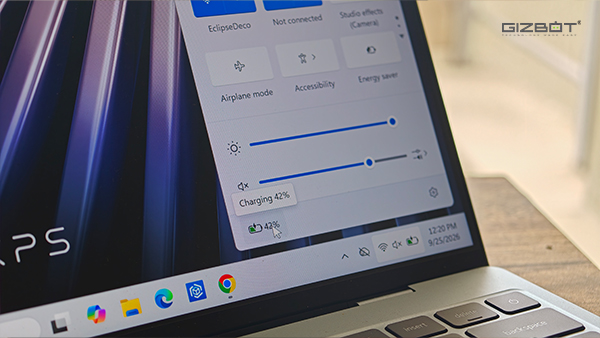
Battery life has been one of the more dependable parts of my experience with the XPS 13. Dell has fitted a 52Wh battery here, which doesn't sound particularly massive on paper, but paired with the Core 5 320, it managed to keep going for a surprisingly long time in our testing.
In the PCMark battery test, our XPS 13 lasted 15 hours and 46 minutes before calling it a day. That's a pretty strong result, and it also lines up well with the kind of laptop Dell is trying to build here. This is a machine you're likely to carry to college, take to the office, or spend a good chunk of the day working on away from a wall socket, and the battery doesn't constantly make you think about where the charger is.
Battery life naturally varies depending on what you're doing, especially once Photoshop or heavier multitasking enters the picture, but for regular everyday work, it remained reassuringly dependable throughout my month with the laptop. More importantly, battery anxiety was rarely something I had to think about while using the XPS 13. And considering portability is already one of its biggest strengths, having the endurance to back that up makes the whole package much easier to live with.
Dell also bundles a 65W USB-C charger with the laptop, but the good thing about USB-C charging is that I didn't always have to carry that particular adapter with me. I already have a few GaN chargers lying around the house, so I could simply grab a compatible 65W USB-C PD charger and use that instead. That was especially useful while travelling, because it meant one small charger could take care of the XPS 13 along with some of my other devices instead of me carrying another long cable and adapter everywhere.
Dell XPS 13 Review: Verdict
After using the Dell XPS 13 for a month, I think its biggest strength is how easy it is to fit into everyday life. I've travelled with it, written multiple articles on it, and used it as my regular work machine without ever feeling like I was carrying around more laptop than I actually needed.
There's a lot I've grown to like here. The build feels premium, the blue finish still looks great, the keyboard has been comfortable enough for long writing sessions, and the display is sharp, smooth, bright, and touch-enabled. Battery life has also been dependable.
The one thing I would be careful about is the 8GB configuration. It handled my regular workload well, but once few other apps started piling up, I could feel the laptop running out of breathing room. If I were buying the XPS 13 for myself and planned to keep it for several years, I would definitely go with 16GB of RAM.
And if you've been looking at the MacBook Neo but would rather stay in the Windows ecosystem for whatever reason, the XPS 13 makes a lot of sense. In fact, in areas like the touchscreen, the more capable pair of USB-C ports, and the flexibility that comes with Windows, it can actually be the better fit depending on what you need from your laptop.
A month later, that's really where I land with the XPS 13. It's simply a polished, dependable everyday Windows laptop, and for the kind of work I do, that turned out to be more than enough.
| Attributes | Notes | Rating |
|---|---|---|
| Design and Build | 5/5 | |
| Ports and Connectivity | 4/5 | |
| Keyboard and Trackpad | 4.5/5 | |
| Display | 4.5/5 | |
| CPU Performance | 4/5 | |
| Battery Life | 4/5 |
-
 54,999
 -
 99,999
 -
 1,44,900
 -
 89,998
 -
 46,500
 -
 57,998
 -
 53,989
 -
 1,59,999
 -
 1,29,999
 -
 99,999
-
 70,499
 -
 1,56,900
 -
 1,30,990
 -
 17,084
 -
 16,999
 -
 30,999
 -
 9,999
9,999 -
 79,900
 -
 8,999
8,999 -
 79,999
-
 20,999
 -
 37,999
 -
 25,999
 -
 31,999
 -
 24,999
 -
 10,999
 -
 15,999
 -
 45,999
 -
 19,499
 -
 1,61,999
-1763362932432.svg)

 Continue with Google

