


 Click it and Unblock the Notifications
Gionee M2 Gets Treated With Android 4.4 KitKat Update

Chinese smartphone maker Gionee launched its mid-range phone the M2 in India earlier this year at the price of Rs. 10,999. The phone was launched with Android 4.2 Jelly Bean version. However, the company has today announced the official roll-out of the KitKat update for the same model, as promised earlier.
The Latest Gionee M2 Smartphone Gallery
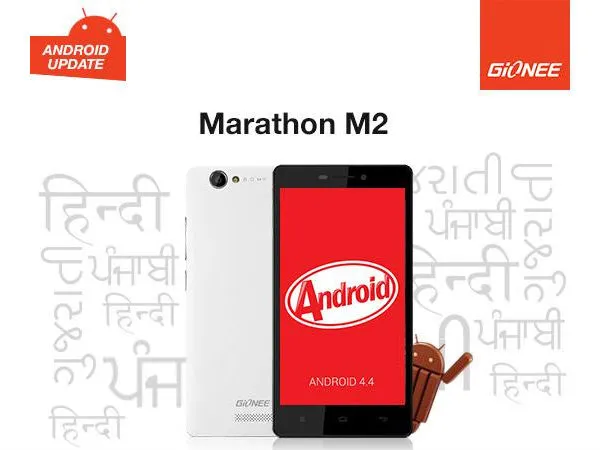
Along with the Android 4.4′s features such as wireless printing, support for emojis and others, the latest update also brings a new revamped homescreen layout and other features like Touchpal, Kingsoft Office and more. Also three new Indian languages will be added to the phone after the installation of the update.
According to the official changelog, the Gionee M2 will be updated to KitKat OS. It will have a new Desktop layout, also adds Touchpal input method for faster and more efficient typing experience and updates kingsoft office for more efficient work and study related operations. The update will however, remove V9 search. One of the most important features that Gionee has added in the update is the support for Hindi, Gujarati and Punjabi language.
It should be noted that the KitKat update for Gionee M2 will not be made available over-the-air (OTA). Instead the company is only making it available via selected service centres. However, if you want to install the update yourself, Gionee has also posted a guide on its forum site.
Gionee M2: Key Specifications
The Gionee M2 sports a 5-inch (854 × 480 pixels) capacitive touch display, 1.3 GHz quad-core Cortex A7 processor with Mali 400 GPU, 1GB RAM, 3G, Android 4.2 (Jelly Bean) OS, 8MP Auto Focus Camera with LED flash, 2MP front-facing camera, 4 GB Internal memory, Expandable memory up to 32GB with micro SD, Wi-Fi 802.11 b/g/n, WiFi Direct, Bluetooth with A2DP, GPS, Dual SIM (GSM + GSM) with Dual Standby and 4200 mAh battery.
Stay tuned to GizBot for more updates!
-
 1,29,999
 -
 22,999
 -
 64,999
 -
 99,999
 -
 29,999
 -
 39,999
 -
-
 63,999
 -
 1,56,900
 -
 96,949

-
 1,39,900
 -
 1,29,900
 -
 79,900
 -
 65,900
 -
 12,999
 -
96,949
-
 16,499
 -
 38,999
 -
 30,700
 -
 49,999
-
 19,999
 -
 17,970
 -
 21,999
 -
 13,474
 -
 18,999
 -
 22,999
 -
 19,999
 -
 17,999
 -
 26,999
 -
 5,999
5,999
-1763362932432.svg)

 Continue with Google

