


 Click it and Unblock the Notifications
How to use latest MySpace 3 version to design profiles?

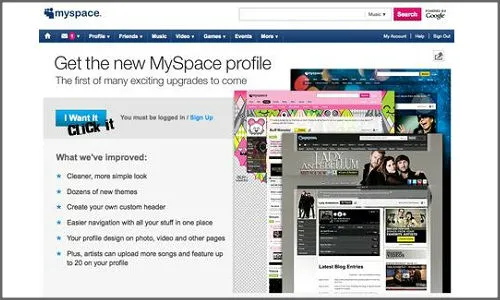
The newest version of MySpace known as MySpace 3.0 is one among the best owing to its well organized structure and the easy navigation of moving things in the page.
The latest version of MySpace 3.0 is quite better compared to the older version of MySpace. But the fact is that the latest version underwent huge changes leading to greater confusion among the users.
It is for sure that once the users get adjusted to the changes, they will really like it and the benefits are immense.
Now, for more clarity, the templates can be further divided as a background, then a marquee and finally any additional content that comes with this page.
Marquee
Marquee is nothing but a banner that is present at the top of the page.
In the layout, users have an option in adding a Marquee
Marquee helps in adding some space at the top of the page
The height is 250 pixels by default
This helps the user to represent something important
The maximum height adjustment that the users can make is as high as 999 pixels
To view the additional content, users must select a bar that is visible only once the user adjust the height more than 250 pixels
Users will now be able to see an option titled ‘Show More’, and when the user clicks on that option, additional content will be shown
Backgrounds
Strong Design is always desirable
Users cannot customize it as they have done in the previous profiles
But the latest version seems to represent a much more organized background
It is now quite easy to move things with the help of the new background
HTML Module
More advanced compared to the previous version
A professional help is always needed
If the user is a coder, then the users will be able to understand how good the module is
The latest module allows the user to have custom content especially in the main area of the profile
The feature helps in differentiating the default looking profiles from the advanced profiles
The custom MySpace 3.0 makes use of HTML modules to enter more advanced headers as well as any other contents also
MySpace 3.0 summary
Users should have a MySpace Designer if they wish to have a custom MySpace. The principle in which MySpace relies up on is as follows;
MySpace Marquee + MySpace Background + Additional HTML Modules = MySpace 3.0 Template
Template is a word that has been usually used in web layouts as well as MySpace layouts. Users can pick their own Layout style as well as the theme of their choice and thereby making it quite unique in design.
This is how users can make use of their MySpace 3.0 version to design the user’s profiles.
-
 1,29,999
 -
 22,999
 -
 64,999
 -
 99,999
 -
 29,999
 -
 39,999
 -
-
 63,999
 -
 1,56,900
 -
 96,949

-
 1,39,900
 -
 1,29,900
 -
 79,900
 -
 65,900
 -
 12,999
 -
96,949
-
 16,499
 -
 38,999
 -
 30,700
 -
 49,999
-
 19,999
 -
 17,970
 -
 21,999
 -
 13,474
 -
 18,999
 -
 22,999
 -
 19,999
 -
 17,999
 -
 26,999
 -
 5,999
5,999
-1763362932432.svg)

 Continue with Google

